
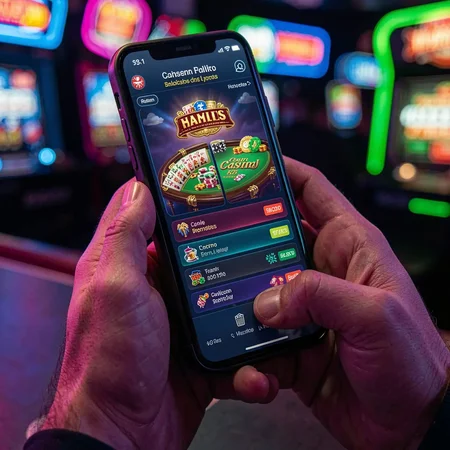
In Bangladesh, mobile internet data packs on Grameenphone, Banglalink, Robi, and Airtel are valuable commodities. At 35BD, we engineered our mobile platform and Android APK with an exclusive 'Low Data Mode'. Designed to reduce data usage by up to 50%, this feature compresses textures, limits background telemetry, and streamlines audio, allowing you to enjoy hours of gaming on limited data packs.
How Low Data Mode Optimizes Performance
Quick Answer:
Asset compression, vector audio rendering, and intelligent stream scaling keep your mobile data consumption minimal.
Slot Optimization: Game textures are compressed into lightweight WebP format, and animations render locally using phone hardware.
Live Casino Optimization: Video streams adjust to 360p low-latency mode, prioritizing smooth card visibility and betting timer responsiveness over heavy 4K visuals.
How to Enable Low Data Mode on 35BD
Quick Answer:
Toggle 'Data Saver' ON in the 35BD mobile app settings or mobile browser menu with a single tap.
Open the 35BD mobile menu -> Settings -> Display -> toggle 'Low Data Mode' to ON.
The setting persists across all subsequent sessions, ensuring you never inadvertently consume extra megabytes.
Ready to Play at 35BD Bangladesh?
Join over 250,000 active Bangladeshi players. Enjoy 2-minute automated bKash & Nagad cashouts today.
⚠ Responsible Gaming & Player Protection (18+ / 21+)
Online gaming should be treated strictly as entertainment. Never gamble with money you cannot afford to lose. 35BD strictly enforces an age limit of 21 years old and provides self-exclusion options within 24 hours. For confidential support, visit Gambling Therapy or read our Responsible Gaming Policy.

Frequently Asked Questions
How much mobile data does 35BD use per hour in Low Data Mode?
Slot games use approximately 35 MB to 50 MB per hour; live dealer tables consume roughly 120 MB per hour.
Does Low Data Mode affect game payout rates or RTP?
Never! Mathematical game outcomes, certified RTPs, and winning probabilities are 100% unaffected by display resolution.
Can I play on 3G network connections?
Yes. Low Data Mode is specifically calibrated to run smoothly on 3G mobile data without disconnection errors.
Does Low Data Mode work on the mobile website?
Yes. You can activate Data Saver in the website footer settings as well as inside the native Android APK.
How do I turn Low Data Mode off when connected to Wi-Fi?
Simply toggle the Data Saver switch to OFF in settings to restore full HD 1080p visuals.
Start Winning at 35BD Bangladesh Today
Join thousands of satisfied Bangladeshi players. Experience instant bKash, Nagad, and Rocket deposits with 2-minute automated cashouts.
Join 35BD & Claim 200% Match